Use the Contact Filter on the Customers grid to find loaded customers by the time since their last recorded interaction. This can help you prepare a follow-up list or find records with no recorded interaction.
Before you begin
Open Customers. The filter works on the customers currently loaded in the grid. Use Search Criteria first if you need to change which customers are loaded. If Last Interaction is not visible, use the columns chooser to show it.
Apply the Contact Filter
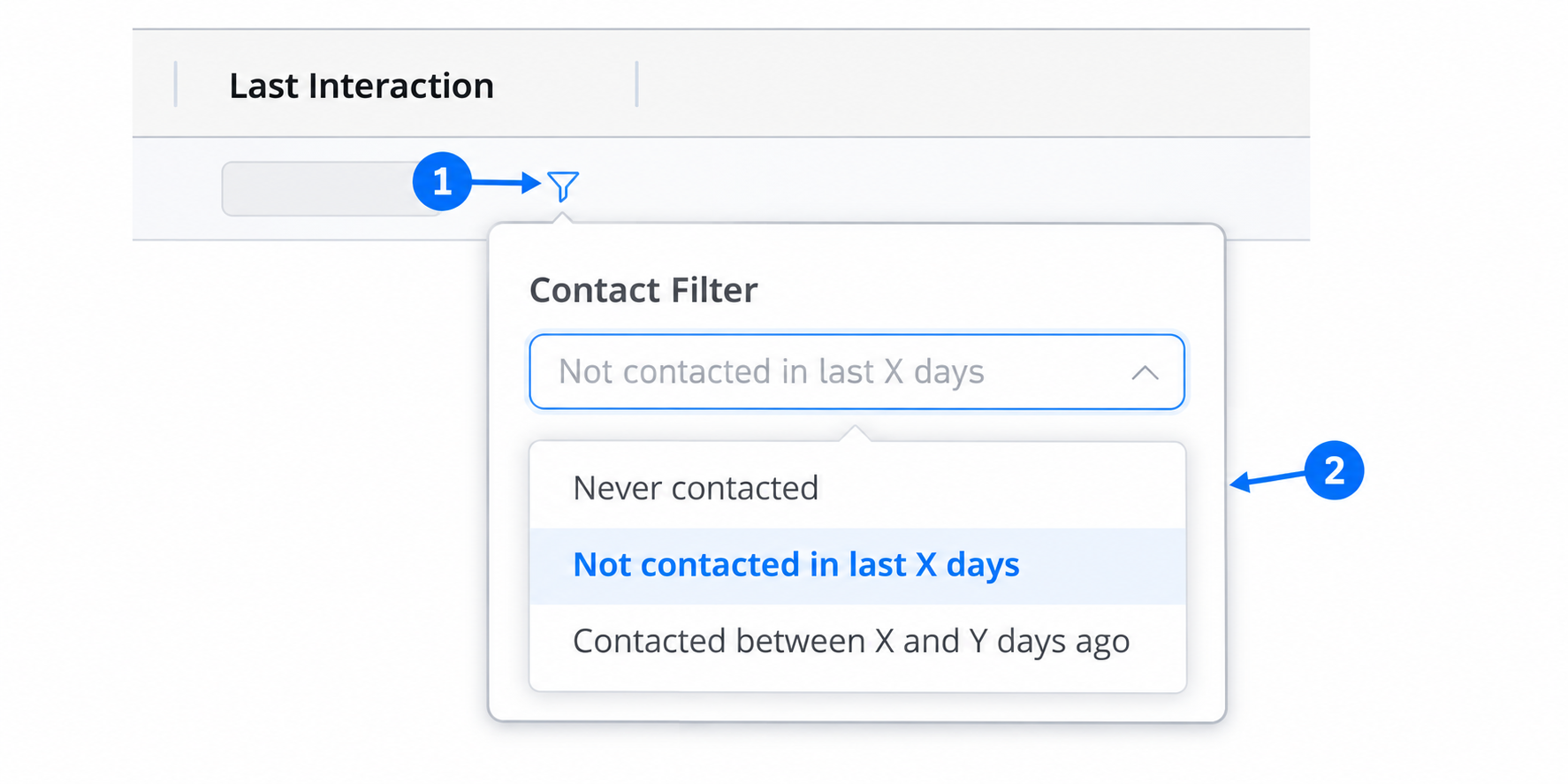
Illustration based on the Customers grid: 1. Open the Last Interaction filter. 2. Choose a Contact Filter mode.
- In the Last Interaction column, select the filter icon.
- Choose a Contact Filter mode:
- Never contacted shows customers with no recorded last interaction.
- Not contacted in last X days shows customers whose recorded last interaction was at least the number of days entered. Customers with no recorded interaction are not included in this mode; use Never contacted for those records.
- Contacted between X and Y days ago shows customers whose last interaction falls within the entered range. Enter the smaller number in From and the larger number in To.
- Enter the requested number of days. The grid updates as you set the filter.
- Review the resulting customer records and their interaction history before deciding on follow-up.
For example, enter 60 for Not contacted in last X days to find loaded customers whose recorded last interaction was at least 60 days ago. To include customers with no recorded interaction, review Never contacted separately.
Understand Queue Health
The Follow-up days control in Queue Health sets the threshold used by the summary; it is separate from the Contact Filter. The Follow-Up Queue count includes loaded customers with an incomplete profile or a missing or older-than-threshold last interaction. It is therefore not necessarily the same as the results of a Contact Filter.
Clear or adjust the filter
Open the Last Interaction filter again to change the mode or values. Use the active filter controls or Clear all filters to remove filters when you are finished. Clearing all filters also clears other active search and table filters.
If the results are unexpected, check the loaded customer set, other active filters, and the customer's recorded interaction history. The filter uses the last interaction value; it does not establish whether contact occurred outside IntentTracker.